> ## Documentation Index
> Fetch the complete documentation index at: https://docs.bfl.ml/llms.txt
> Use this file to discover all available pages before exploring further.
# Run FLUX 3 Action
> Run a first prediction on recorded data, then connect FLUX 3 Action to your control loop.
Start with a recorded DROID observation and save a `(1, 32, 8)` action array.
Then use the Python API to connect camera observations and joint state to your
application. This first example needs no robot.
## Requirements and installation
Use Linux, Python 3.12, and an NVIDIA GPU. The reference standalone environment
uses PyTorch 2.10 with CUDA 12.8. BF16 inference has been reported at about
32 GB of GPU memory; actual peak memory depends on the checkpoint, input
resolution, encoders, and compilation. This is an inference figure, not a
training memory budget.
Install [uv](https://docs.astral.sh/uv/getting-started/installation/) and FFmpeg
with AV1 decoding support, then run:
```sh theme={null}
git clone https://github.com/black-forest-labs/flux-action.git
cd flux-action
uv sync --locked --extra encoders --extra data
uv pip install --python .venv/bin/python 'natten==0.21.6+torch2100cu128' \
--find-links https://whl.natten.org/
ffmpeg -version
```
NATTEN must match your GPU architecture, PyTorch, and CUDA versions. The wheel
above matches the reference environment. Reinstall it after `uv sync`, which
can remove packages installed outside the lockfile. Run the following commands
from the repository root.
## Download the DROID checkpoint
The weights are in the [FLUX 3 Action collection](https://huggingface.co/collections/black-forest-labs/flux-3-action):
`flux-3-action-droid` and `flux-3-action-so101` hold the robot policies, and
`flux-3-action-base` holds the action-pretrained trunk and the shared video VAE
and text encoder. Each policy config pins its encoders to a fixed base revision,
and the loader downloads them automatically.
Authenticate with an account that has access to the weights, then download the
DROID policy:
```sh theme={null}
uv run hf auth login
uv run hf download black-forest-labs/flux-3-action-droid \
--revision ea77cad51fd6e919b2aeb891ae9113828be5698a \
--exclude 'variants/*' --local-dir outputs/droid
```
The released Hub packages and standalone training exports use different loaders:
| Files you have | Loader |
| ------------------------------------------------------------------------------ | --------------------------------------------------------- |
| Released DROID weights and shared encoders | `FluxActionPolicy.from_pretrained` or `flux-action infer` |
| Released SO-101 package and shared encoders | `flux_action.inference.so101.load_policy` |
| Standalone export with `config.json`, `model.safetensors`, and `manifest.json` | `FluxActionPolicy.from_pretrained` |
| LeRobot LoRA adapter and its referenced base | [LeRobot workflow](/flux_3/flux3_action_so101#roll-out) |
Keep a resumable `step-N` checkpoint for training. Convert it with
`export-checkpoint` before using the standalone inference loader.
## First prediction
Prepare the small public DROID sample using the repository's
[download and preparation commands](https://github.com/black-forest-labs/flux-action/blob/main/docs/prepare.md#download-and-prepare).
They download about 800 MB of source files and produce
`outputs/public-droid/episode-000000`. Decoded images need additional disk space
and RAM. Select an observation and read its recorded task instruction:
```sh theme={null}
uv run python examples/droid/make_observation.py outputs/public-droid/episode-000000 \
--seed 0 --output outputs/public-droid/observation.npz
task_caption=$(uv run python -c 'import json; print(json.load(open("outputs/public-droid/observation.json"))["task"])')
uv run flux-action infer --checkpoint outputs/droid \
--observation outputs/public-droid/observation.npz --task "$task_caption" \
--output outputs/droid/inference-run
```
The output directory contains `actions.npy` with shape `(1, 32, 8)` and
`report.json` with the effective settings and timing. The float32 array holds
seven absolute joint targets in radians, then a gripper closed fraction in
`[0, 1]`. It saves predictions without executing them. Use a new output
directory for each run.
### Python API
The same recorded observation works in Python. The loader applies the
package's camera and inference settings:
```python theme={null}
import json
from pathlib import Path
import torch
from flux_action.inference.offline import load_observation
from flux_action.policy import FluxActionPolicy
policy = FluxActionPolicy.from_pretrained("outputs/droid", device="cuda")
policy.prepare_inference()
task = json.loads(Path("outputs/public-droid/observation.json").read_text())["task"]
observation = load_observation(
Path("outputs/public-droid/observation.npz"), policy.config, task, "cuda"
)
with torch.inference_mode():
plan = policy.predict_action_chunk(observation)
print(plan.shape) # torch.Size([1, 32, 8])
```
For live DROID input, supply synchronized observations with the following contract:
| Key | Python tensor | Meaning |
| --------------------------------------------- | ------------------------------------------- | -------------------------------------------------------------------- |
| `images.wrist`, `images.left`, `images.right` | `(B, 3, 360, 640)`, RGB float32 in `[0, 1]` | Three separate camera streams |
| `state` | `(B, 8)`, float32 | Seven measured joint angles in radians, then gripper closed fraction |
| `task` | List of `B` strings | One instruction per batch item |
Place tensors on the policy's device. The NPZ loader accepts HWC uint8 cameras
and converts them to this tensor layout. Preserve channel order and units;
the policy handles its own gripper convention. Fine-tuned checkpoints define
their own camera keys, dimensions, and normalization.
## The loop
`predict_action_chunk` returns a complete plan. `select_action` returns one
command per call and computes another plan when its action queue is empty.
Fresh observations affect that next plan; they do not replace queued commands.
The application owns camera capture, command execution, and timing. This
integration skeleton assumes a controller that calls it at the checkpoint's
control rate:
```python theme={null}
policy.reset() # also reset after an intervention or task change
while not done:
observation = read_cameras_and_state() # application-provided, matching the table above
with torch.inference_mode():
action = policy.select_action(observation)
send_to_robot(action[0]) # application-provided actuator interface
wait_for_next_control_tick() # application-provided scheduler
```
A synchronous inference call can delay a control tick. Measure that latency
before running against a continuously moving environment. `select_action`
does not provide an asynchronous controller or real-time chunking.
### Plan length, execution interval, and compute time
Set `n_action_steps` before constructing the policy, or save a configured export
and reload it. It controls how many commands enter the queue.
Changing `policy.config.n_action_steps` on an already loaded policy does not
resize its existing queue; reload the policy after changing the setting.
| Profile | Actions per plan | Actions executed | Control rate | Execution time before replanning, excluding compute |
| ------------------------------------------------------ | ---------------- | ---------------- | ------------ | --------------------------------------------------- |
| Released DROID | 32 | 32 | 15 Hz | About 2.13 s |
| Game training config | 32 | 8 | 15 Hz | About 533 ms |
| [Shooter playback](/flux_3/flux3_action_games#play-it) | 32 | 2 | 15 Hz | About 133 ms |
| Released SO-101 standalone profile | 42 | 32 | 30 Hz | About 1.07 s |
The game example reports **79 ms to compute one plan** on an H200. That is
separate from the time spent executing its actions. The training config saves
8 executed actions; the shooter experiment recommends 2 for more frequent
feedback. Keep that choice explicit in your playback configuration.
## Cameras and sampling settings
The policy composes separate camera streams before encoding. Preserve the
checkpoint's camera order and layout; do not pre-tile Python input tensors.
Dimensions below are **width × height**; `canvas_hw` in JSON is **height, width**.
| Layout | Composition | Example canvas |
| -------------- | ------------------------------------------------------ | -------------------------- |
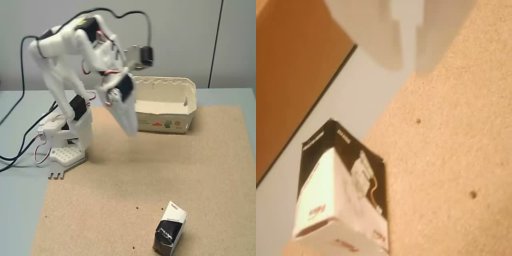
| `droid` | Wrist above two half-size exterior views, then padding | 736 × 544 |
| `side_by_side` | Scene left, wrist right | SO-101: 512 × 256 |
| `single` | One camera resized to the canvas | Games and drone: 512 × 512 |
 The released DROID loader applies its sampling settings automatically. For
standalone exports, follow the repository's [inference configuration](https://github.com/black-forest-labs/flux-action/blob/main/src/flux_action/config.py).
Set the execution horizon before loading the policy. If you change a loaded
configuration, save it with `policy.save_pretrained` and reload it to rebuild
the action queue. Editing `config.json` directly invalidates the export's checksums.
## Predicted video
The sampler jointly predicts action values and video latents. The current
inference API returns **actions only**: it neither decodes those latents into
RGB frames nor exposes a video output flag. A video export would require changes
to the sampling and VAE decode path. The overview's interactive camera views
are a scripted illustration, not generated model frames.
## Memory and performance
Keep inference exports in BF16 with `export-checkpoint --dtype bfloat16`.
The recorded 76 to 79 ms game-plan timings came from separate BF16, 512 × 512
runs. Measure latency on your own checkpoint and hardware after warmup.
`flux-action infer` writes timing and memory measurements to `report.json`.
See the repository's [serving and precision instructions](https://github.com/black-forest-labs/flux-action/blob/main/docs/setup.md#serve-to-robolab)
for compilation, text-encoder offloading, FP8, and WebSocket serving.
The released DROID loader applies its sampling settings automatically. For
standalone exports, follow the repository's [inference configuration](https://github.com/black-forest-labs/flux-action/blob/main/src/flux_action/config.py).
Set the execution horizon before loading the policy. If you change a loaded
configuration, save it with `policy.save_pretrained` and reload it to rebuild
the action queue. Editing `config.json` directly invalidates the export's checksums.
## Predicted video
The sampler jointly predicts action values and video latents. The current
inference API returns **actions only**: it neither decodes those latents into
RGB frames nor exposes a video output flag. A video export would require changes
to the sampling and VAE decode path. The overview's interactive camera views
are a scripted illustration, not generated model frames.
## Memory and performance
Keep inference exports in BF16 with `export-checkpoint --dtype bfloat16`.
The recorded 76 to 79 ms game-plan timings came from separate BF16, 512 × 512
runs. Measure latency on your own checkpoint and hardware after warmup.
`flux-action infer` writes timing and memory measurements to `report.json`.
See the repository's [serving and precision instructions](https://github.com/black-forest-labs/flux-action/blob/main/docs/setup.md#serve-to-robolab)
for compilation, text-encoder offloading, FP8, and WebSocket serving.