

What is FLUX.1 Fill?
FLUX.1 Fill is a specialized inpainting model tailored for two complementary applications: Selecting specific regions within an image and editing them - Transform parts of your image while preserving the surrounding context. Change objects, enhance details, or remove unwanted elements naturally. Adding new pixels at the image borders - Extend images beyond their original boundaries to increase resolution or change aspect ratios. Perfect for expanding scenes or adapting content for different formats.Examples
Inpainting: Object Replacement
This example shows how FLUX.1 Fill can replace specific parts of an image while keeping everything else intact. On the top part of the image, we replace the jacket with a different style. On the bottom part of the image, we replace the text on the neon sign.
Inpainting example

Original image
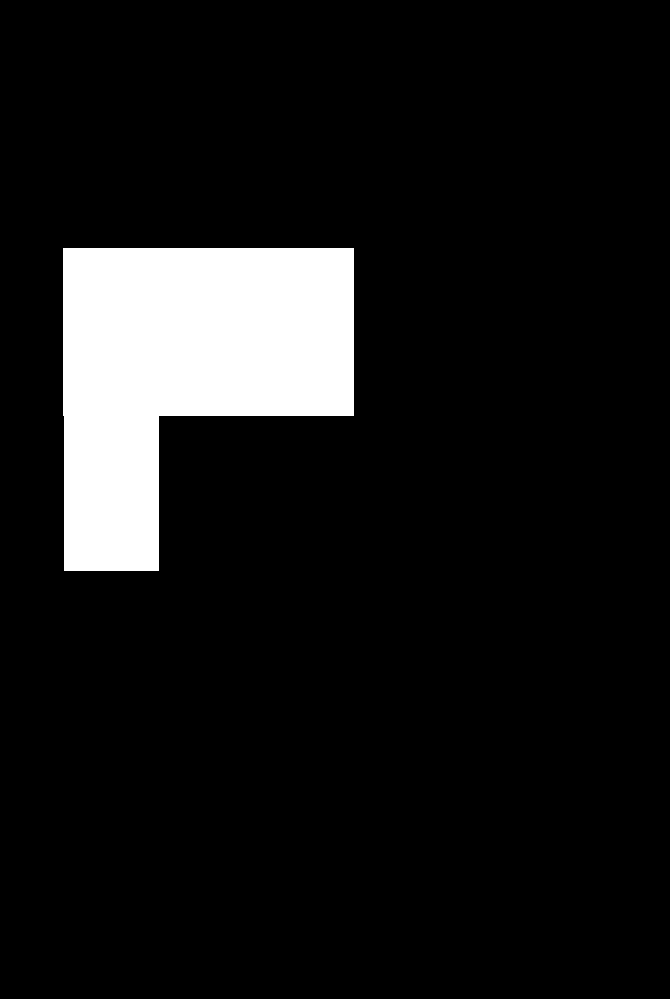
Mask
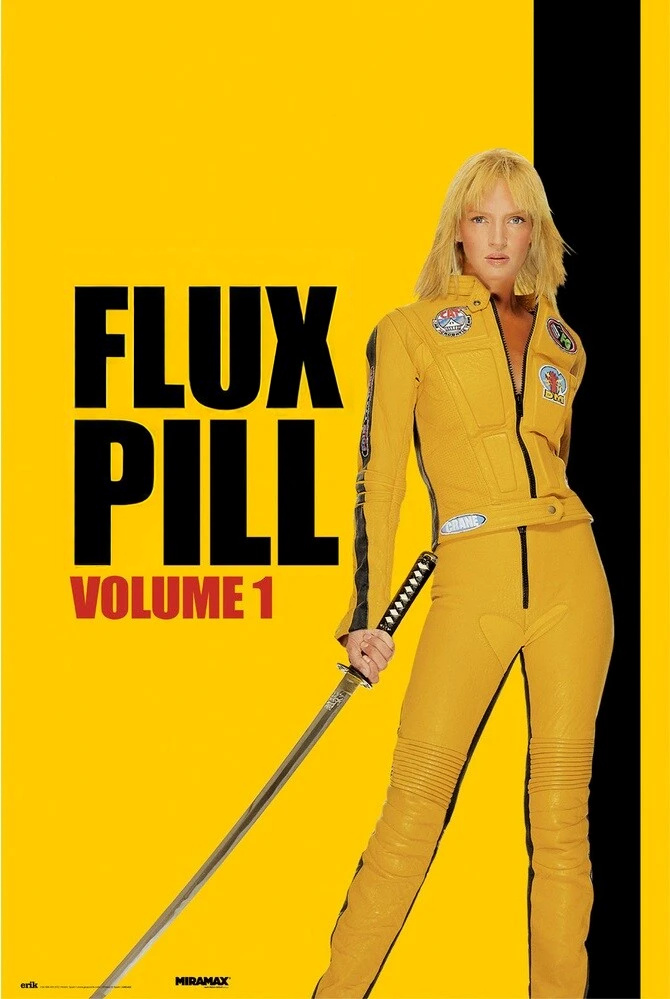
Inpainted image
Using FLUX.1 Fill API
FLUX.1 Fill supports two approaches for specifying edit areas:- Separate Mask: Provide two files - your image plus a separate black/white mask image. Black areas preserve the original, white areas get inpainted.
- Alpha Channel: Provide one PNG/WebP with transparency. Transparent areas get inpainted, opaque areas are preserved. No separate mask file needed.
Create a Request
Poll for Results
After submitting a request, you need to poll using the returnedpolling_url to retrieve the output when ready.
result['sample'] is a signed URL for retrieval.