

(1, 32, 8) action array.
Then use the Python API to connect camera observations and joint state to your
application. This first example needs no robot.
Requirements and installation
Use Linux, Python 3.12, and an NVIDIA GPU. The reference standalone environment uses PyTorch 2.10 with CUDA 12.8. BF16 inference has been reported at about 32 GB of GPU memory; actual peak memory depends on the checkpoint, input resolution, encoders, and compilation. This is an inference figure, not a training memory budget. Install uv and FFmpeg with AV1 decoding support, then run:uv sync, which
can remove packages installed outside the lockfile. Run the following commands
from the repository root.
Download the DROID checkpoint
The weights are in the FLUX 3 Action collection:flux-3-action-droid and flux-3-action-so101 hold the robot policies, and
flux-3-action-base holds the action-pretrained trunk and the shared video VAE
and text encoder. Each policy config pins its encoders to a fixed base revision,
and the loader downloads them automatically.
Authenticate with an account that has access to the weights, then download the
DROID policy:
Keep a resumable
step-N checkpoint for training. Convert it with
export-checkpoint before using the standalone inference loader.
First prediction
Prepare the small public DROID sample using the repository’s download and preparation commands. They download about 800 MB of source files and produceoutputs/public-droid/episode-000000. Decoded images need additional disk space
and RAM. Select an observation and read its recorded task instruction:
actions.npy with shape (1, 32, 8) and
report.json with the effective settings and timing. The float32 array holds
seven absolute joint targets in radians, then a gripper closed fraction in
[0, 1]. It saves predictions without executing them. Use a new output
directory for each run.
Python API
The same recorded observation works in Python. The loader applies the package’s camera and inference settings:
Place tensors on the policy’s device. The NPZ loader accepts HWC uint8 cameras
and converts them to this tensor layout. Preserve channel order and units;
the policy handles its own gripper convention. Fine-tuned checkpoints define
their own camera keys, dimensions, and normalization.
The loop
predict_action_chunk returns a complete plan. select_action returns one
command per call and computes another plan when its action queue is empty.
Fresh observations affect that next plan; they do not replace queued commands.
The application owns camera capture, command execution, and timing. This
integration skeleton assumes a controller that calls it at the checkpoint’s
control rate:
select_action
does not provide an asynchronous controller or real-time chunking.
Plan length, execution interval, and compute time
Setn_action_steps before constructing the policy, or save a configured export
and reload it. It controls how many commands enter the queue.
Changing policy.config.n_action_steps on an already loaded policy does not
resize its existing queue; reload the policy after changing the setting.
The game example reports 79 ms to compute one plan on an H200. That is
separate from the time spent executing its actions. The training config saves
8 executed actions; the shooter experiment recommends 2 for more frequent
feedback. Keep that choice explicit in your playback configuration.
Cameras and sampling settings
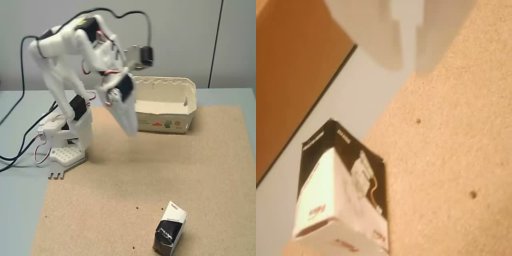
The policy composes separate camera streams before encoding. Preserve the checkpoint’s camera order and layout; do not pre-tile Python input tensors. Dimensions below are width × height;canvas_hw in JSON is height, width.
policy.save_pretrained and reload it to rebuild
the action queue. Editing config.json directly invalidates the export’s checksums.
Predicted video
The sampler jointly predicts action values and video latents. The current inference API returns actions only: it neither decodes those latents into RGB frames nor exposes a video output flag. A video export would require changes to the sampling and VAE decode path. The overview’s interactive camera views are a scripted illustration, not generated model frames.Memory and performance
Keep inference exports in BF16 withexport-checkpoint --dtype bfloat16.
The recorded 76 to 79 ms game-plan timings came from separate BF16, 512 × 512
runs. Measure latency on your own checkpoint and hardware after warmup.
flux-action infer writes timing and memory measurements to report.json.
See the repository’s serving and precision instructions
for compilation, text-encoder offloading, FP8, and WebSocket serving.